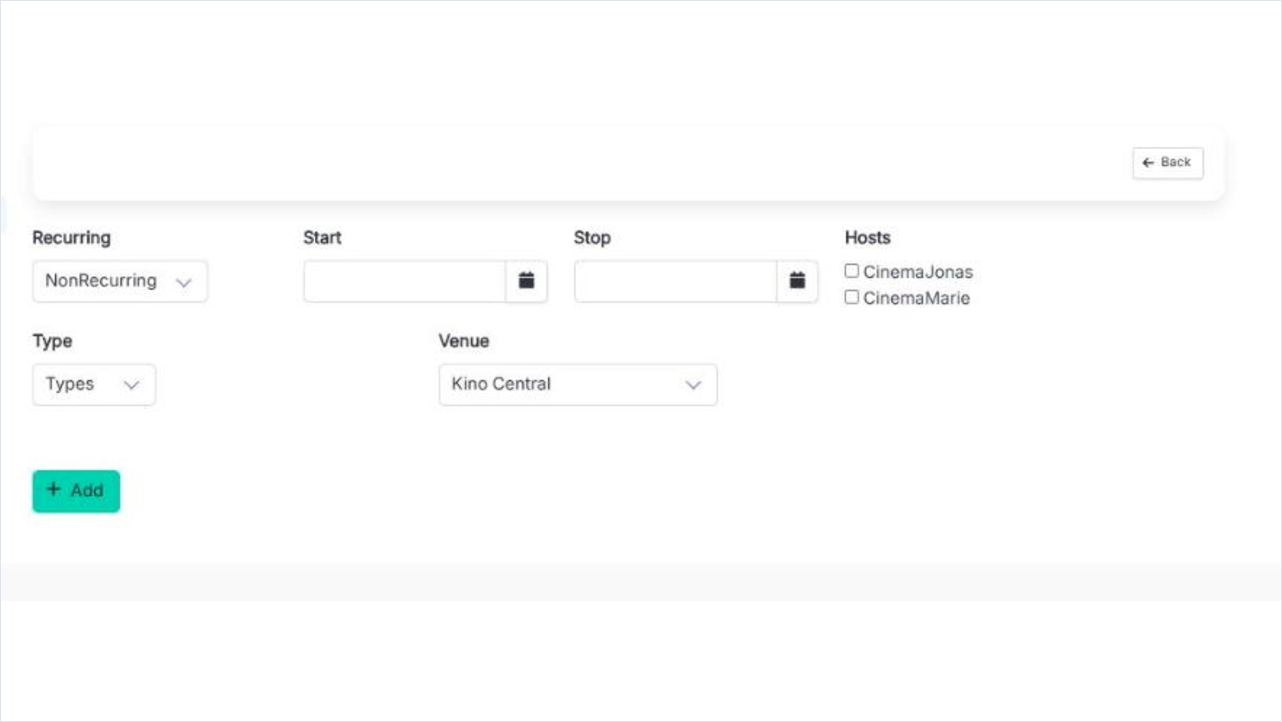
- Status
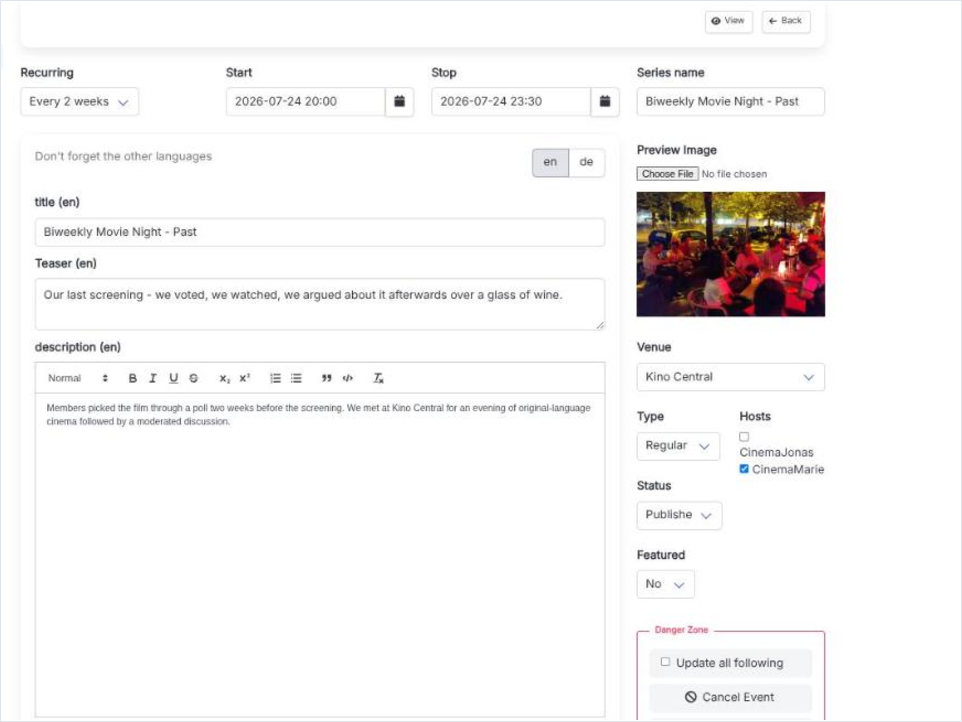
- Draft, Published or Locked. Only Published is visible to members and visitors. The field is on the edit screen only - a new event is always created as a draft.
- Featured
- Yes or No. A featured event is collected on the Featured page, which is a curated look back rather than a promotion slot in the main list. Edit screen only.
- Start / Stop
- The date and time the event begins and ends, as one combined picker each. For a recurring series these set the pattern's first occurrence.
- Type
- Regular, Outdoor or Dinner, or left empty. It is what the Type filter on the public events page matches against.
- Venue
- The place, picked from the venues your group has. The list ends in "+ Add new venue", which opens a small dialog so you do not have to leave the form.
- Hosts
- Checkboxes, more than one allowed. Hosts are the people to ask on the night; they are shown on the event page and are managed under Hosts.
- Preview Image
- Up to 5 MB, ideally 16:9. Edit screen only. Without one the event still works, it just has nothing to show in a link preview.
- Recurring
- Empty means NonRecurring. Otherwise Daily, Weekly, Every 2 weeks, Monthly, Yearly, or Custom for a rule you build yourself. Recurring events has the detail.
- Series name
- The name of the whole series, not of one evening. Only meaningful once a recurrence is set.
- title (%locale%)
- One per active language. This is the event's name in the list and on its own page.
- description (%locale%)
- One per active language, in a rich-text editor. The full text of the event page.
- Teaser (%locale%)
- Two lines per language. The short version used where the full description does not fit.