Some people cannot be invited
A member who has turned off "People can invite me to groups" is not reachable this way - the invitation is refused and the screen says so. Send them the group link instead and let them join themselves.
A group has three roles and they nest: a Member takes part, an Organizer runs the events, a Steward owns the group. Everything on the members screen is either reading who is who or moving someone between those three.
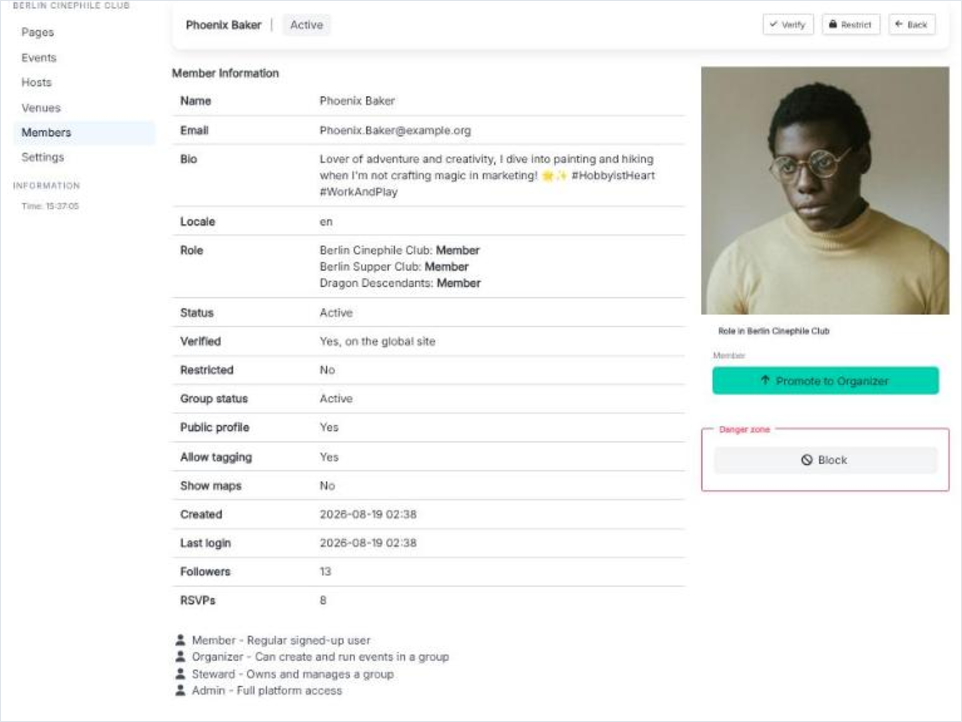
Members in the group admin lists everyone in the group with their role and status. Opening a member shows their information, the flags set on them, the status transitions available, and a section headed with the group name that holds the role actions for this group specifically - the same person can be an Organizer here and an ordinary Member somewhere else.
Open Send invitation
The invitations screen shows the pending ones and offers a new invitation. It names who you are inviting and to which group before it sends.
Choose the role
An invitation carries the role the person will have when they accept, so you can invite someone straight in as an Organizer.
Send
The invitation appears on their My Groups page with an expiry date. Until they answer it stays in your pending list, where it can be revoked.