Your own domain

A group can run on its own address instead of a path on meetagain.org. Getting there needs two things that are not in your hands at the same time: DNS pointing at the server, and a platform administrator approving the change.

How the flow is shaped

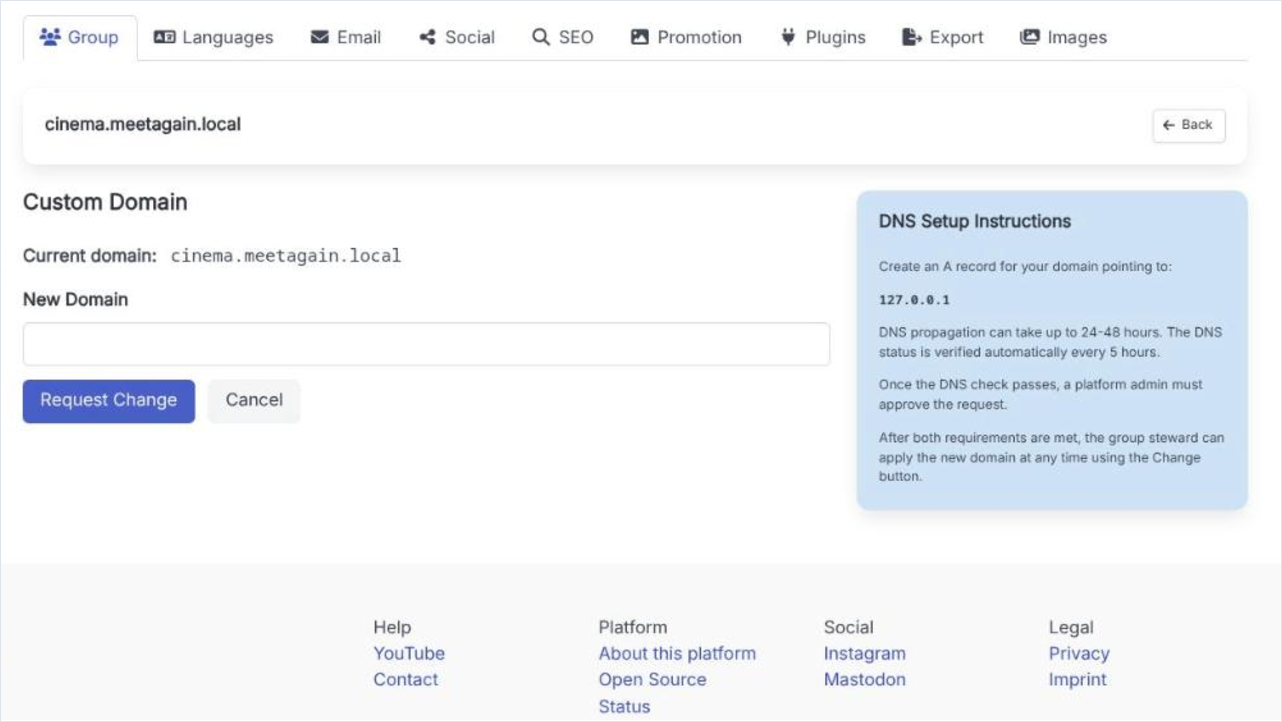
The domain screen is reached from the Custom Domain row on the Group tab. It shows the current domain, the requested one, and two requirement lines that have to both turn green before the change can be applied. The DNS check runs automatically every five hours, so most of the waiting is not something you can hurry along.

Moving a group onto its own domain

  1. 1

    Request the change

    Type the new domain into New Domain and press Request Change. Nothing moves yet; the request is recorded and the DNS check is scheduled.

  2. 2

    Create the A record

    At your domain registrar, point the domain at the IP address the page shows. The instructions block on the screen names it.

  3. 3

    Wait for the DNS check

    Propagation can take 24 to 48 hours, and the platform re-checks every five hours. The requirement line shows when it was last checked.

  4. 4

    Wait for the administrator

    Once DNS passes, a platform administrator has to approve. This is a manual step by a person, not a timer.

  5. 5

    Apply it

    With both requirements met, the Change button becomes usable and the group moves to the new address whenever you press it.

The custom domain screen with the current domain, the New Domain field and the Request Change button, beside the DNS Setup Instructions panel.
The domain screen. Both requirement lines have to be satisfied before Change works.

What is on the screen

Current domain / Requested domain
Where the group lives now, and where it has asked to go. "None" for a group still on the platform address.
DNS points to this server
The automated half. It carries the time of the last check, or says it has not been checked yet.
Admin has approved
The human half. It stays pending until a platform administrator acts, and it cannot be approved before DNS passes.
Change / Delete Request
Change applies the move once both lines are satisfied - trying earlier is refused with a message. Delete Request abandons the request and leaves the group where it is.

The old address stops being the group's home

A domain change moves the group; it does not run it in two places. Anything you have pointed at the old address - printed flyers, links in other people's posts, a bookmarked page - is worth thinking about before you press Change, not after.