Leaving Meetup without losing your group
A practical plan for organizers whose members already know them.
Before you start
The members of a regular group follow the people, not the platform. What gets lost in a move are the occasional members who only see your events in their Meetup feed - so plan an overlap rather than a hard cut.
This guide uses MeetAgain as the new home, but the steps work for whichever platform you choose.
What you give up
- Newcomers who find you through Meetup's search and recommendations
- The reviews and history attached to your Meetup group
- Meetup's iOS app for your members
What you keep or gain
- ✓Your regulars, your dates and your venues
- ✓Recurring events and unlimited members at one price per group
- ✓A full export of your group whenever you want it
- ✓A chronological event list with no ads and no paid placement
Six steps
Save what Meetup holds
Before you change anything, copy what lives only on Meetup: your group description, the texts of your regular events and the photos you want to keep. Write down your dates, start times and venues, including the small details your regulars rely on - which room, which table, who to ask at the door.
Member data is the hard part. Meetup lets organizers export member email addresses only on its Pro plan, so on other plans the way to reach your members is Meetup itself - which is why the overlap in step 5 matters. Nobody is moved without agreeing: each member joins the new group through your link.
Create the new group
Apply for the group with the description you saved, and pick the languages your members speak - every page and every event can be written in each of them. A person reviews the application, usually within one to three business days.
Once it is approved, top up the group balance: €6.00 a month, paid in advance, with no subscription. Add your logo and a group image, and decide whether new members join straight away or wait for your approval - while a group moves over, approval lets you recognise your regulars as they arrive.

Recreate your event series
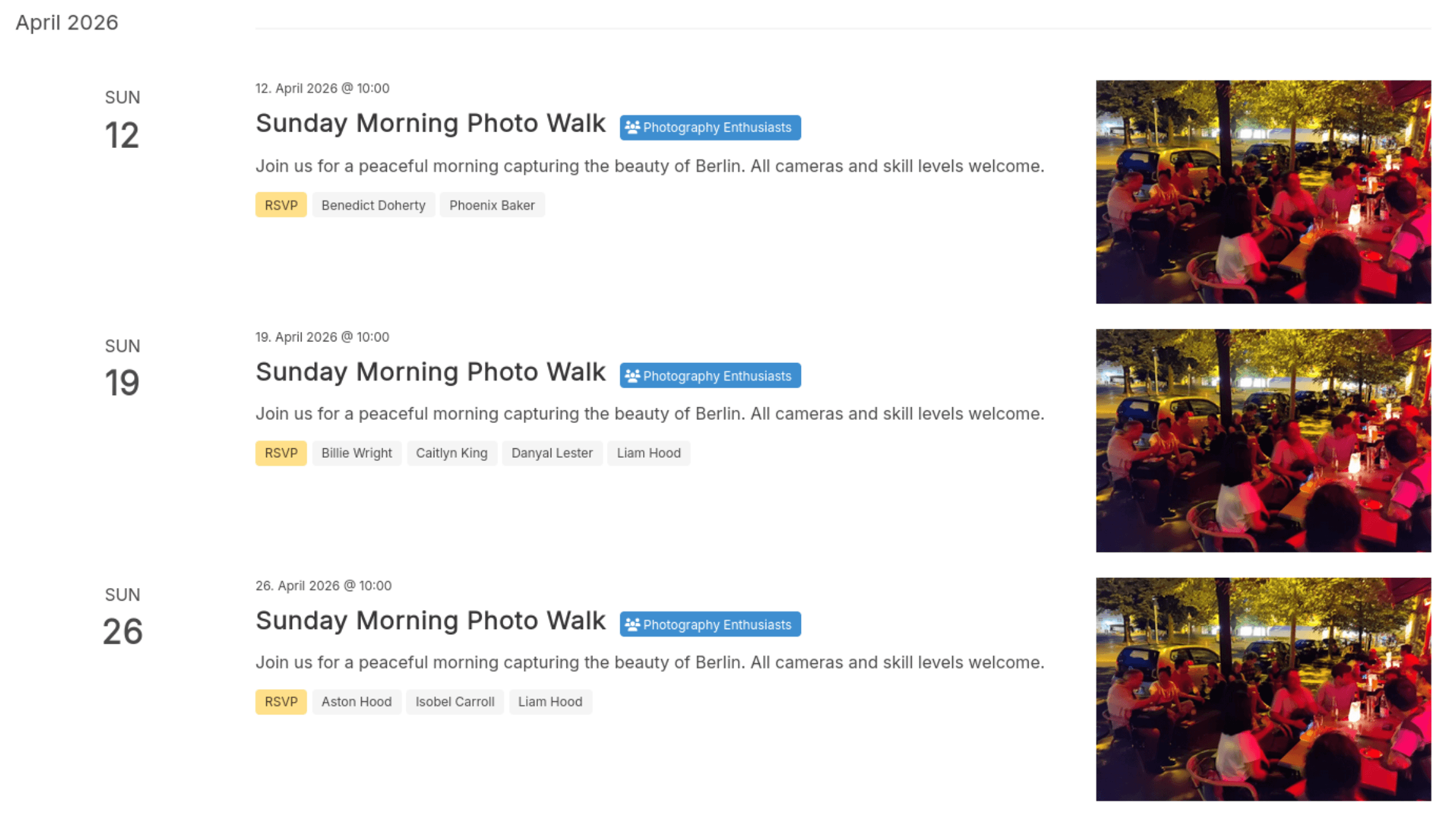
Save your venues first, then set up the recurring rule once - weekly, every second Thursday, every first Wednesday of the month - and the dates fill themselves in months ahead. Paste in the event text you saved, so the new page reads like the old one.
Start the series on the next date that is still on Meetup, not a later one. During the overlap both pages then show the same evenings, and nobody wonders which one is real.
Announce the move
Put the new link at the top of your next Meetup event descriptions and into your group chats, and say why you are moving - members accept a change far more easily when they know the reason. Mention it at the events too; the regulars who never read announcements will hear it there.
The promotion tab makes the pictures for it: a portrait card with your next event for Instagram and other feeds, and a header for a Facebook group with your upcoming dates. Event pages open without an account, so the link works even for people who have not signed up yet.

Run both for a few weeks
Keep the next four to six events on both platforms. In each Meetup event, point to the new page and ask people to RSVP there, and add the RSVPs that still come in on Meetup to the head count on the new page, so you know how many are coming.
When the overlap ends, post a last Meetup announcement that carries the new link, then end the Meetup series. Keep the Meetup group open as a signpost for as long as your plan runs, so latecomers can still find you.
Give the group its own address
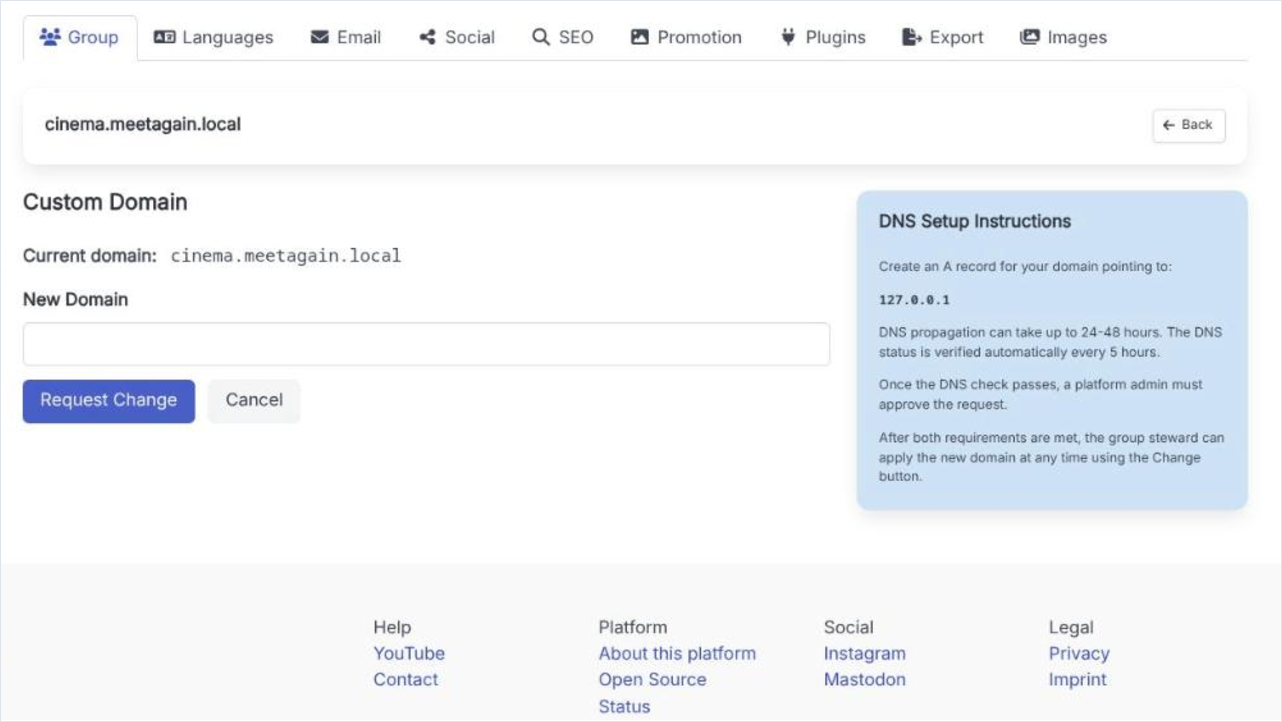
Optional: give the group its own domain, like yourclub.org, with pages you edit yourself and your logo at the top. The domain stays with your registrar - you point one DNS record at our server, and we check it and approve the change.
It costs nothing on top of the monthly price, and it makes the next move easy: if you ever leave MeetAgain too, the address stays yours and only where it points changes. Set it up before you print flyers - links with an old address do not follow the group on their own.
Questions organizers ask
How long should the overlap be?
Four to six events works for most regular groups: long enough for every regular to see the announcement twice.
Will my Meetup members be told automatically?
No. You tell them, in your event descriptions and announcements. That is also the moment to say why you are moving.
Can I keep the Meetup group as a signpost?
Yes, for as long as your plan runs. A last announcement with the new link helps latecomers find you.
What does the move cost?
MeetAgain costs €6.00 a month for the whole group, paid in advance, with no subscription. Members never pay.