Photo clubs
One album per outing, right on the event page - with EXIF for the gear talk and a contest when the walks add up.
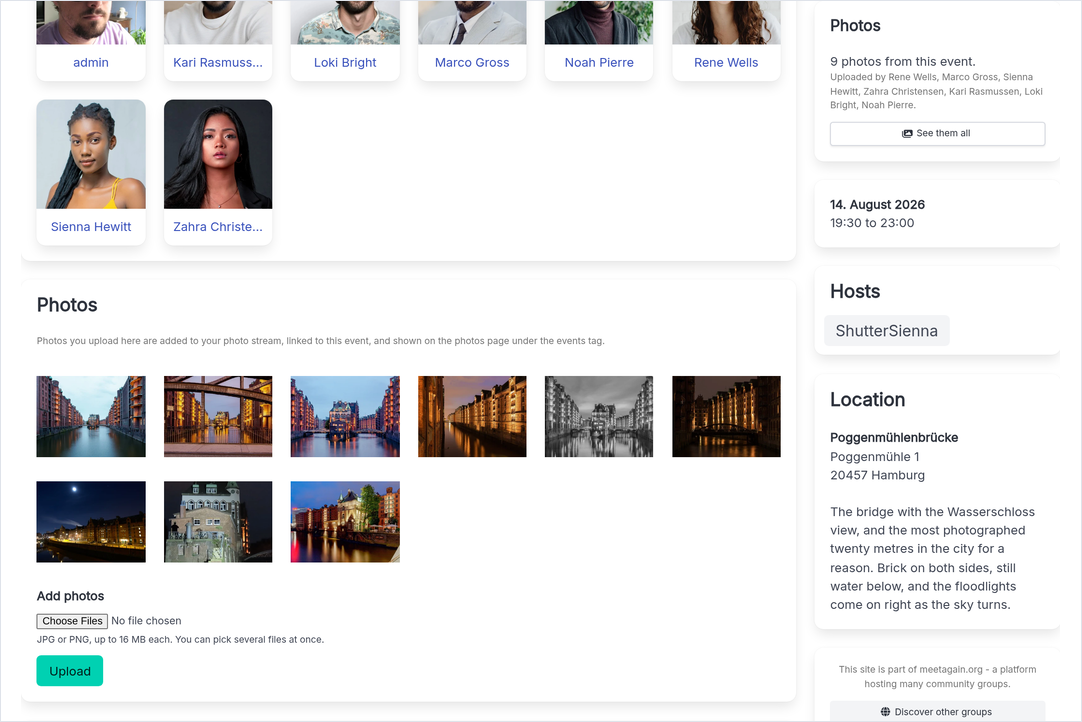
The album is on the event page
The upload field sits on the event page itself, where everybody already is. A file dropped there becomes a real photo - camera settings, comment thread, a place in the club gallery - and stays linked to the walk it came from.
Compare the craft
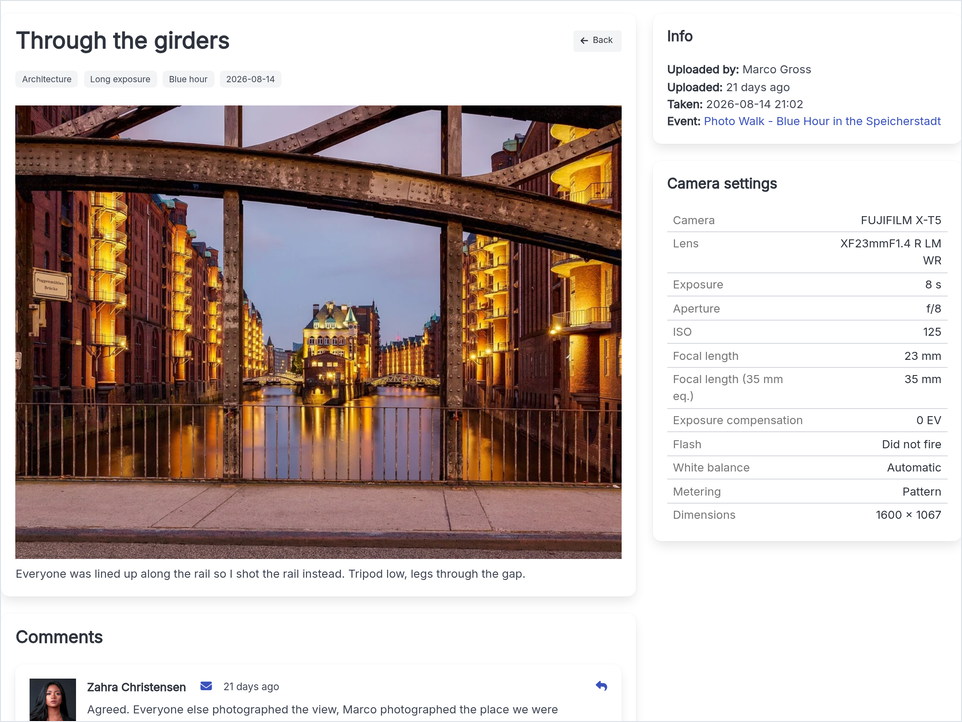
Each photo shows its EXIF data - aperture, shutter speed, ISO - so the gear talk has facts, and every shot has its own comment thread.
Find one walk again, months later
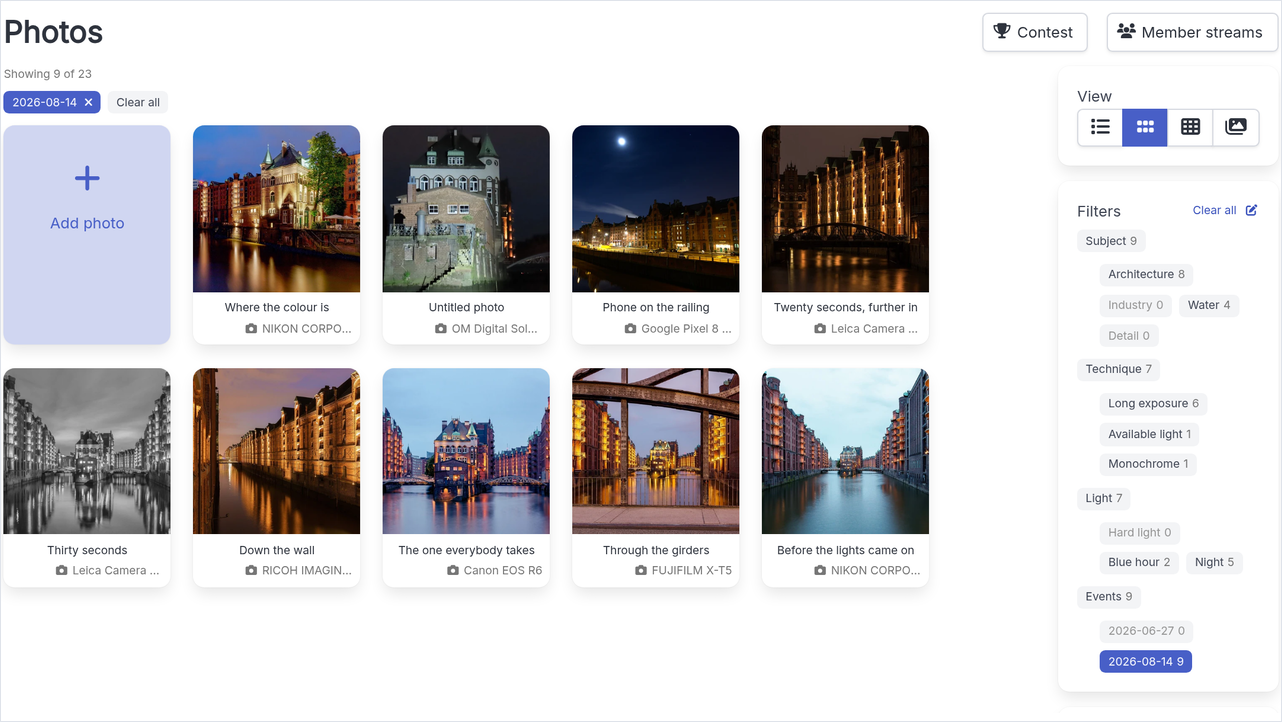
Every upload is filed under the date of the event it came from, so the gallery filters back down to a single outing without anyone tagging anything by hand.
Every member keeps a stream
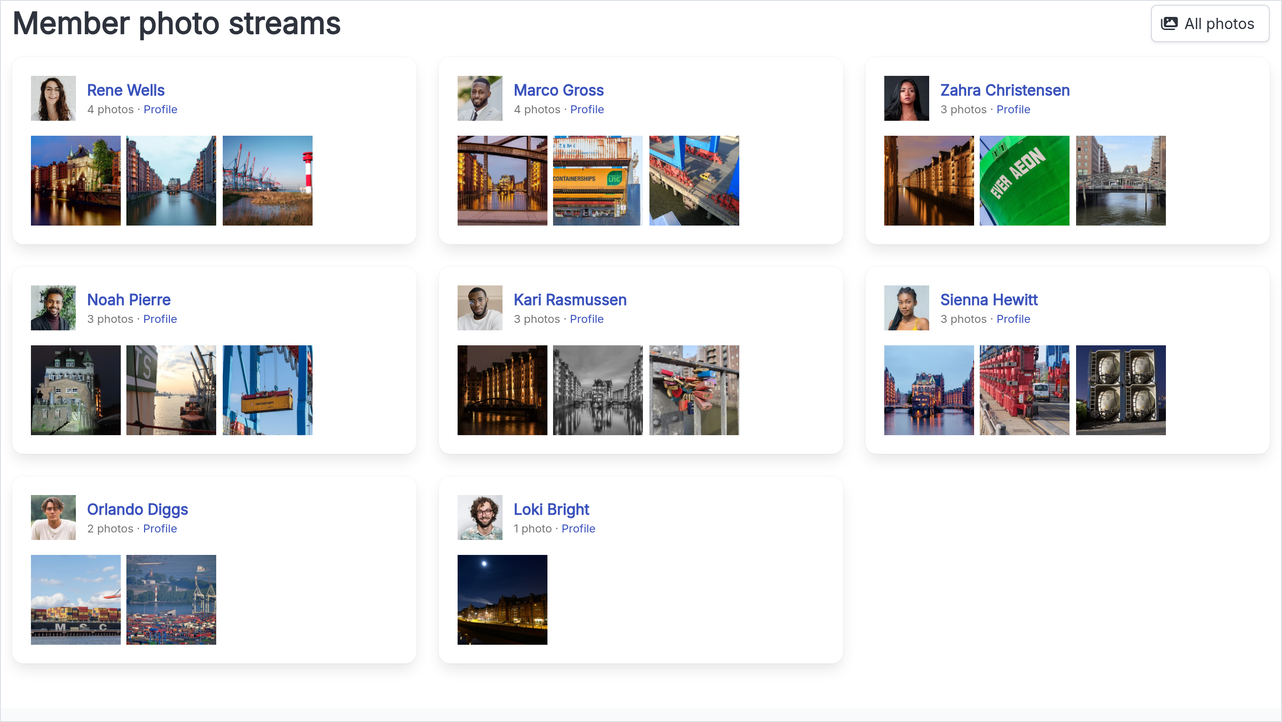
Each photographer's own shots gather on one page, so you can follow a member's eye across the walks instead of digging through one album at a time.
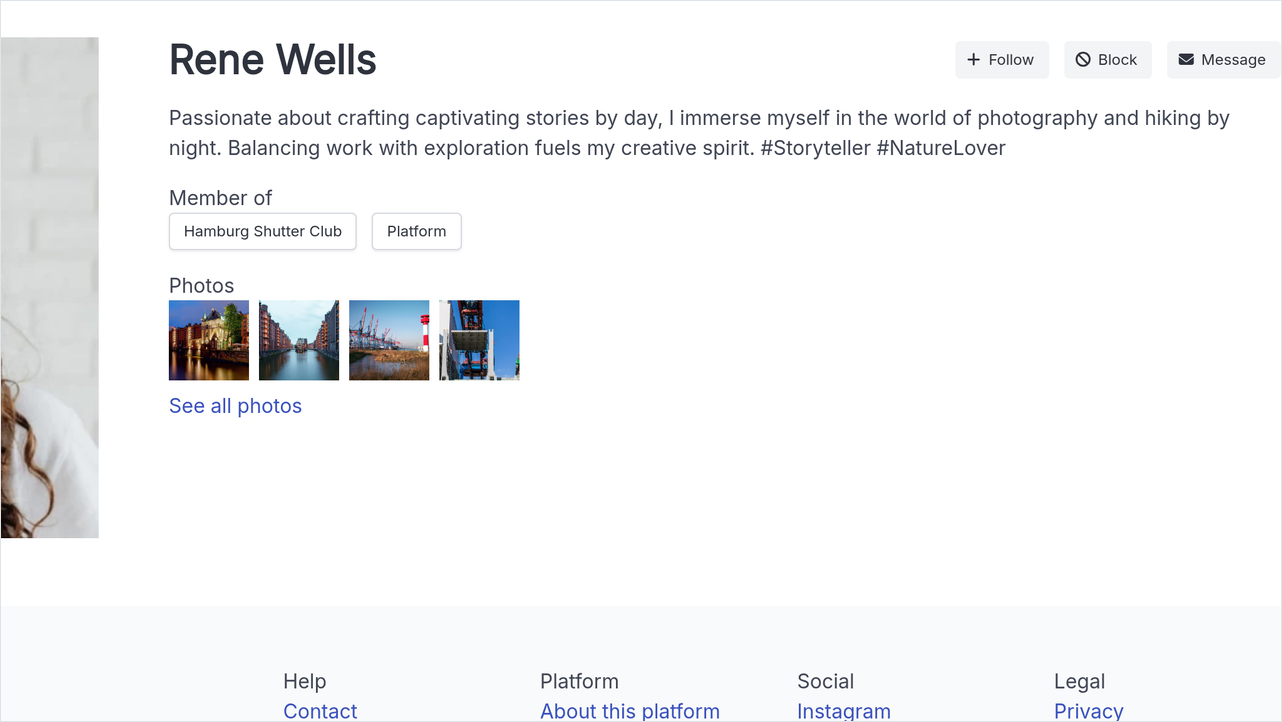
And it shows on their profile
A member's newest photos sit on their profile page, so a name in the RSVP list leads straight to the pictures behind it.
And a contest when the walks add up
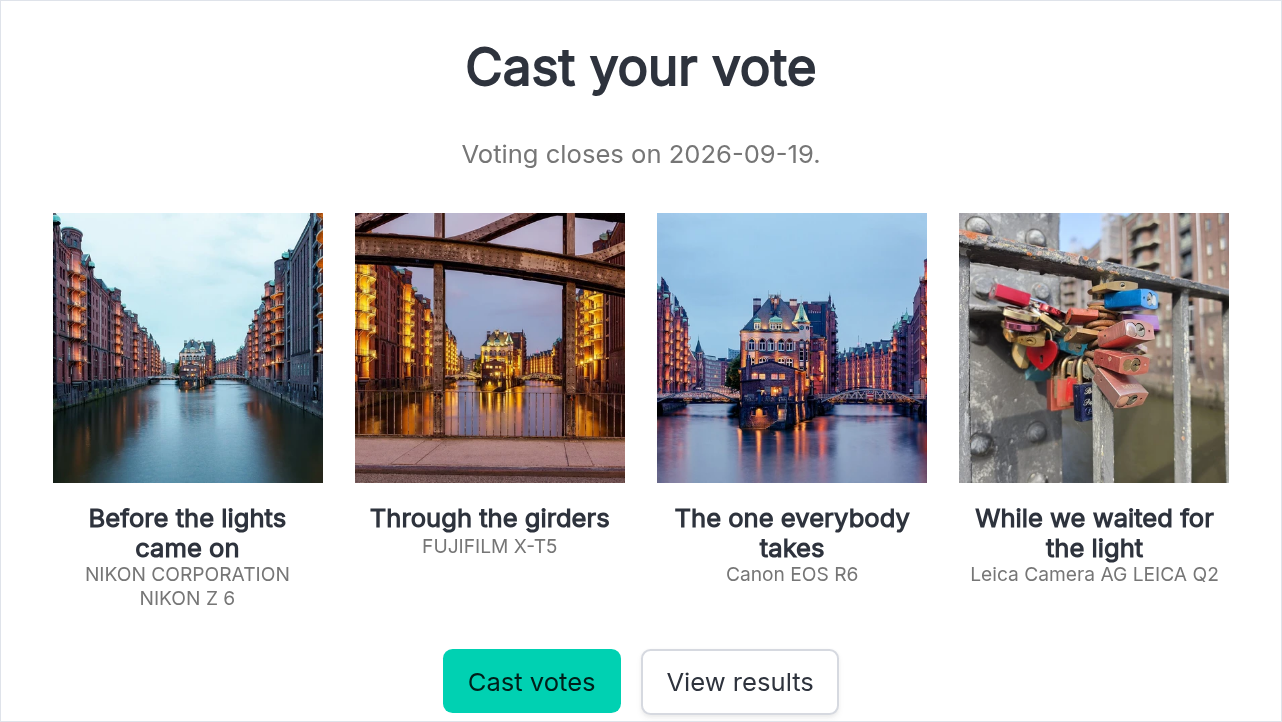
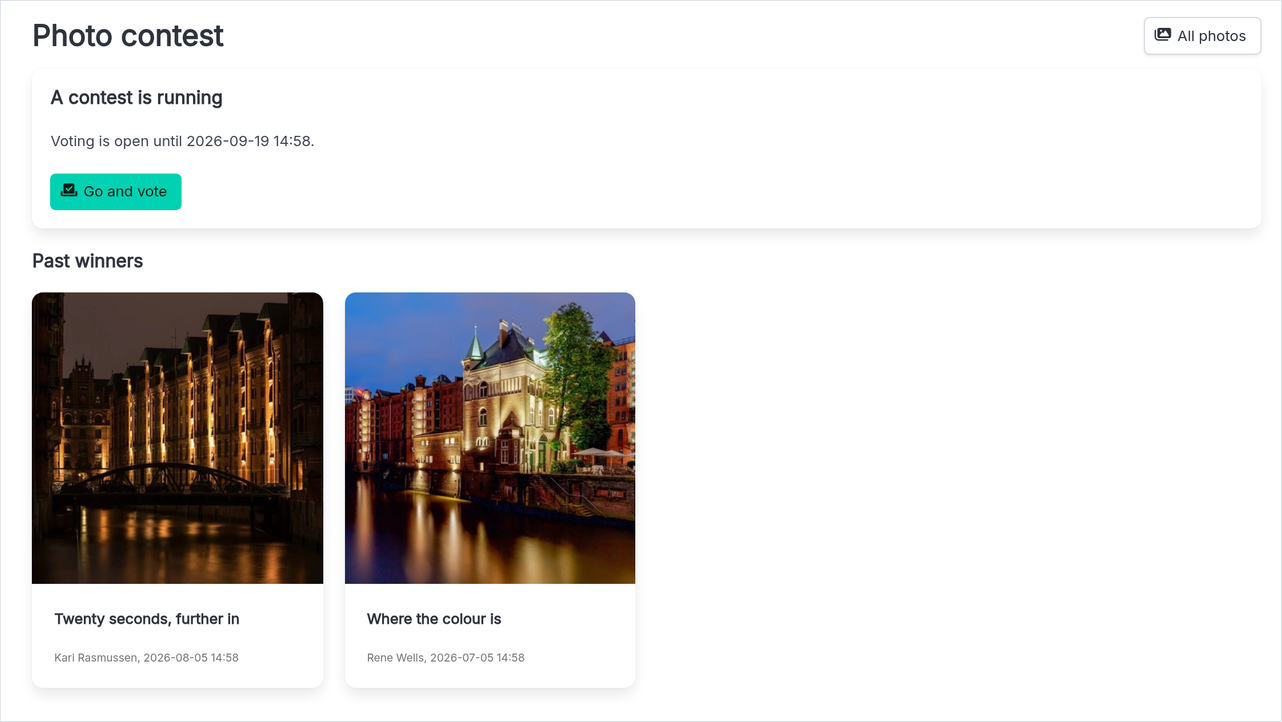
Members put their own best frames forward, a steward opens the round, and everybody picks. The winners stay on the page, so the club builds a wall of its own best work.
The old way
- Photos scattered across cloud links and chat attachments
- Nobody remembers which camera settings produced the keeper
- Feedback drowns in the group chat within a day
- A member's best work is scattered across a dozen event albums
- Best-of picks happen in the group chat and nobody records the result
With MeetAgain
- ✓Every member uploads on the event page itself, into that outing's album
- ✓EXIF camera settings displayed right on the photo
- ✓A comment section under every photo keeps the critique attached
- ✓Every member has a photo stream of their own, on one page and on their profile
- ✓A photo contest over the club's own shots, with every winner kept on the page
The building blocks behind it
Photos
An album on every event page, EXIF on every shot, comments and a contest
Comments
A thread under every photo keeps critique findable
Activity feed
Uploads and discussion show up in one stream
For your members
- ✓RSVP with guests, plus automatic reminders before every event
- ✓Recurring event series - set the rhythm once, MeetAgain schedules the rest
- ✓A personal iCal calendar feed puts events into every member's calendar app
- ✓The whole interface in five languages - everyone reads their own
- ✓Comments and an activity feed keep the talk next to the thing it is about